
about • mission

By V.3 in Captain's Log
· 129,184 views
something is the unnamed longing
-- the desire -- the dream -- the missing piece
soon is the timing -- the hope -- pursuit
something soon studio is the workshop
because:
- we all want something
- we all want it soon
- and the system is full of 💩 and worse slogans
also, because my name is Salvator Soon and the somethings are my projects.
the mission is to explore the space between what is, and what could be. Initially, this site was a discussion forum. But after a decade of debate, i realized that opinions are cemented by emotions. So i purged most of the posts and focused on stories and music with a message -- often with humor and (inspired by Rod Serling) almost always with a twist at the end -- even the songs. Because nothing conveys something better!
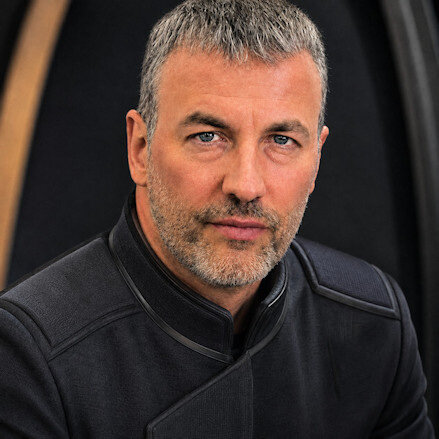
about me: i grew up in Queens, NY. Everywhere i looked there was a smart-ass -- including, regrettably, in the mirror. Otherwise, it was a diverse community that helped shape my world-view, as did the 1970s counter-culture movement, and a particularly bold and profound era of music and cinema.
i worked a variety of jobs including: record store manager; college teacher; programmer; and entrepreneur. Writing was my preference, though never my job. Even now, my aim is not to profit from writing -- just to spread it as far and wide as possible.
but enough about me, I believe i've got more interesting stories to tell.
if you share my vision i'd love to hear your comments. And if you're tired of just waiting for the world to get it's act together, let's collaborate on a project.
-- Salvator V Soon (aka Captain V.3, site admin)
Recommended Comments